> For the complete documentation index, see [llms.txt](https://support.emarketeer.com/llms.txt). Markdown versions of documentation pages are available by appending `.md` to page URLs; this page is available as [Markdown](https://support.emarketeer.com/docs/docs_se/guider/guides/campaigns/campaign-contacts.md).
# Kampanjkontakter
Vad Kampanjkontakter är, hur kontakter läggs till och hur du granskar eller tar bort kontakter från en kampanj.
Kampanjkontakter är en flik i varje kampanj som listar de kontakter som tillhör den kampanjen.
Använd den för att se vilka som har interagerat med kampanjen, granska enskilda kontakters historik och ta bort oönskade kontakter.
En kontakt läggs till i listan Kampanjkontakter när den:
* Är mottagare av ett utskickat e-post som tillhör kampanjen. Kontakter som exkluderas före utskick läggs inte till.
* Är mottagare av ett utskickat SMS som tillhör kampanjen. Kontakter som exkluderas före utskick läggs inte till.
* Skickar in ett formulär som tillhör kampanjen.
* Besöker en Landing Page som tillhör kampanjen. Anonyma besök läggs inte till.
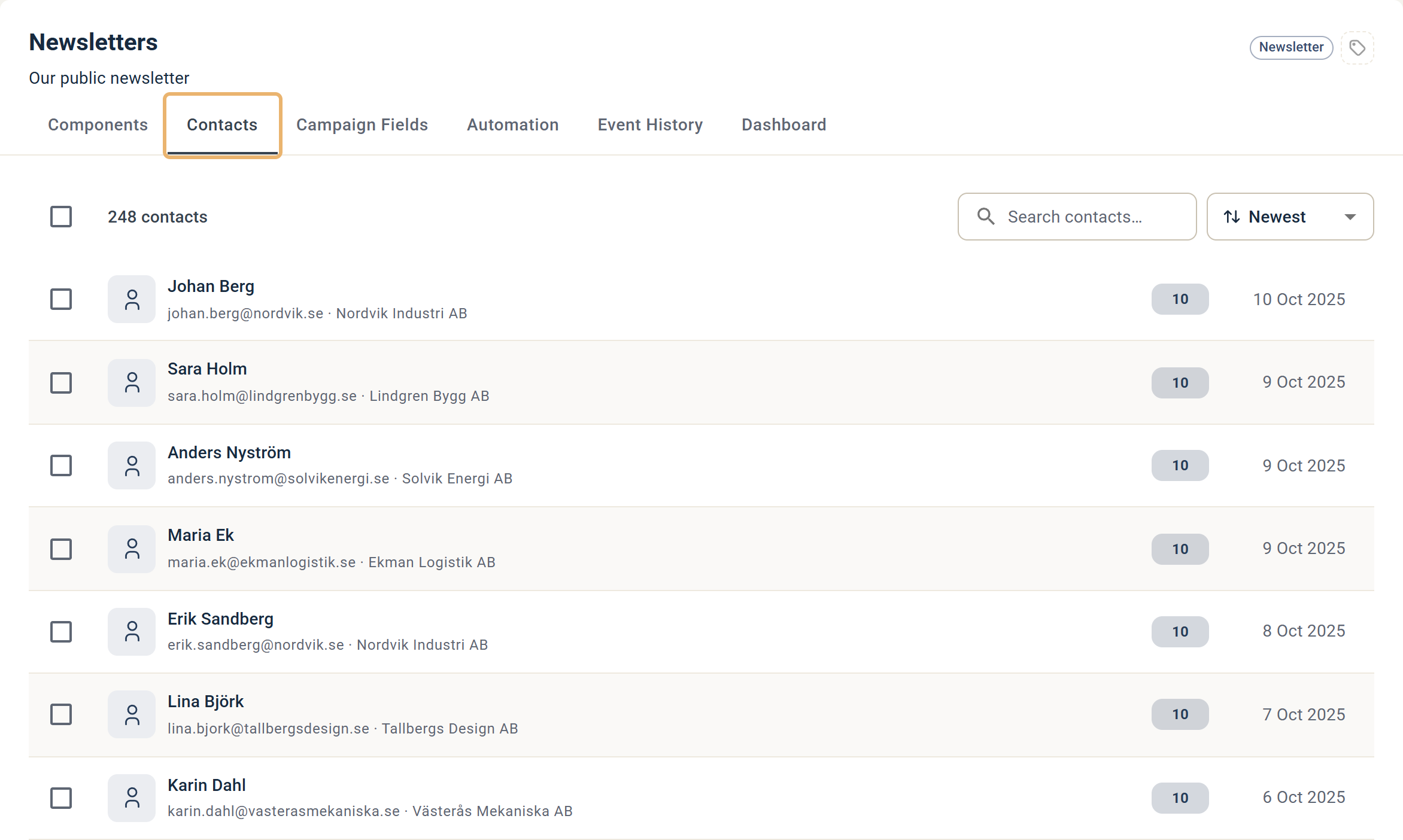
## Gränssnittet för Kampanjkontakter
Gränssnittet för Kampanjkontakter
Klicka på en enskild kontakt för att se historiken över deras interaktioner i kampanjen. Använd fältet Search contacts uppe till höger i fliken för att hitta en specifik kontakt.
### Ta bort kontakter från en kampanj
Du kan använda fliken för att ta bort oönskade kontakter från kampanjen, och därmed från varje komponentrapport i kampanjen. Det är användbart för att ta bort testkontakter.
1. Markera kontakterna som ska tas bort med kryssrutorna till vänster på varje rad.
2. Klicka på Remove from Campaign ovanför listan.
## Alla kontakter i denna kampanj (mottagarkälla)
Du kan rikta utskick till Kampanjkontakter med alternativet "All contacts in this campaign" när du skickar ett e-post eller SMS. Se definitionen högst upp i artikeln för vad som räknas som en kampanjkontakt.
Alternativet "All contacts in this campaign"
---
# Agent Instructions
This documentation is published with GitBook. GitBook is the documentation platform designed so that both humans and AI agents can read, navigate, and reason over technical content effectively. Learn more at gitbook.com.
## Querying This Documentation
If you need additional information that is not directly available in this page, you can query the documentation by asking a question.
Perform an HTTP GET request on the following URL with the `ask` and `goal` query parameters:
```
GET https://support.emarketeer.com/docs/docs_se/guider/guides/campaigns/campaign-contacts.md?ask=&goal=
```
`ask` is the immediate question: it should be specific, self-contained, and written in natural language.
`goal` is what the user is ultimately trying to achieve, the reason they need the answer. Sharing it helps GitBook give you a better, more relevant answer. A goal is most helpful when it describes the outcome the user wants rather than restating the question. For example, with `ask=how do I create an API token`, a goal like `automate deployments from our CI pipeline` lets GitBook tailor the answer to that use case.
The response will contain a direct answer to the question and relevant excerpts and sources from the documentation.
Use this mechanism when the answer is not explicitly present in the current page, you need clarification or additional context, or you want to retrieve related documentation sections.