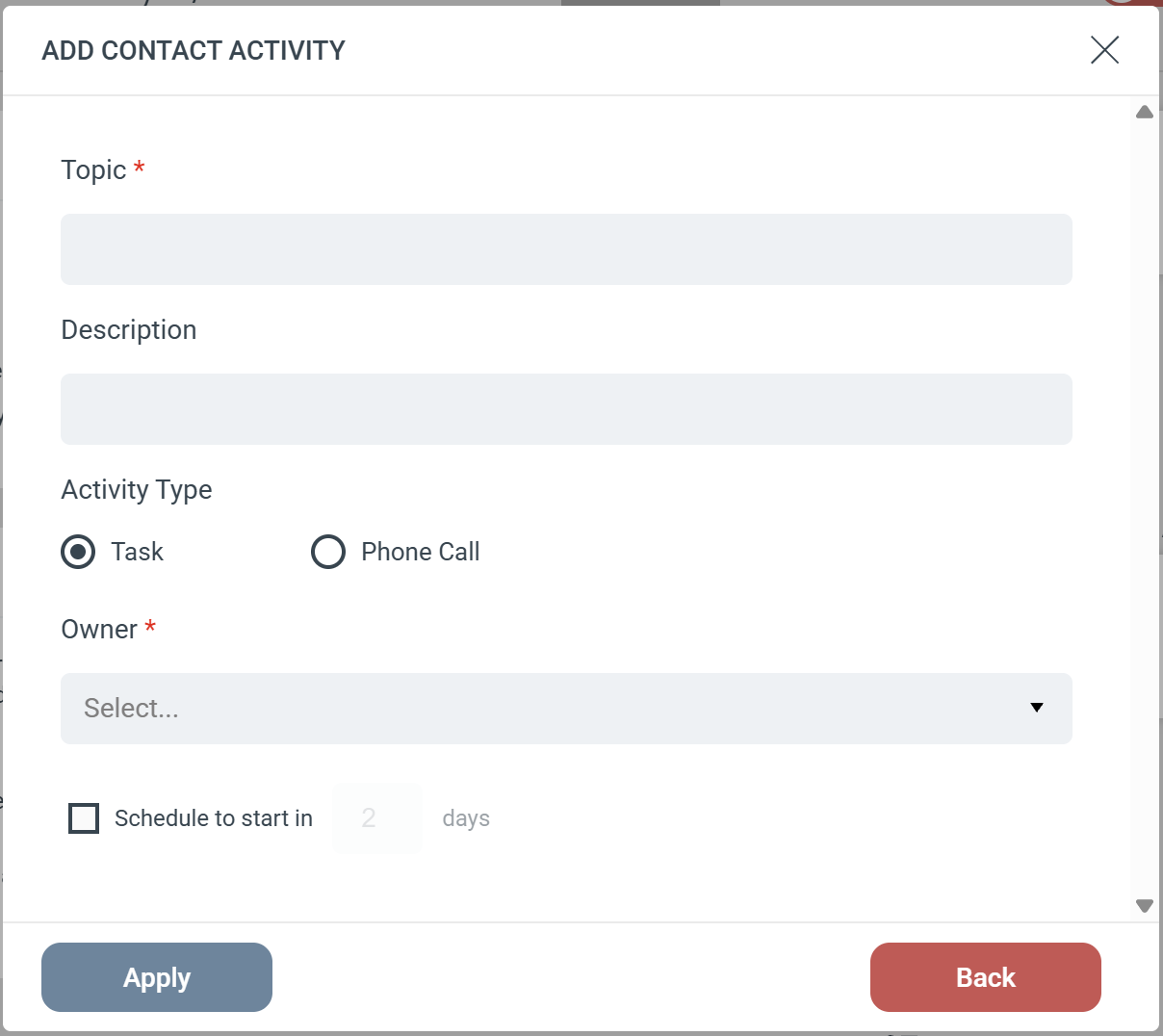
The Add Contact Activity Step creates a Task or Phone Call strictly on a Contact record in your Microsoft Dynamics CRM. Unlike the generic “Add Activity” Step, this action will not fall back to a Lead if a Contact is missing.Step ConfigurationWhen adding this Step to your Journey, you will configure the following fields:
- Subject (Required): Sets the title of the activity in Dynamics.
- Description: Provides additional details or notes for the person completing the task.
- Activity Type: Choose whether to log the activity as a Task or a Phone Call.
- Owner (Required): Select the Dynamics user who will be assigned the activity.
- Schedule: Optionally set a delay for the activity (e.g., “Schedule to start in 2 days”).
Strict Contact Matching
Because this Step is specifically designed for Contacts, eMarketeer uses a strict search process:
- eMarketeer searches Dynamics exclusively for a matching Contact.
- If a Contact is found, the activity is created and attached to that Contact record.
- If no Contact is found: The Step is skipped, and no activity is created. eMarketeer will not attempt to find or update a Lead record.