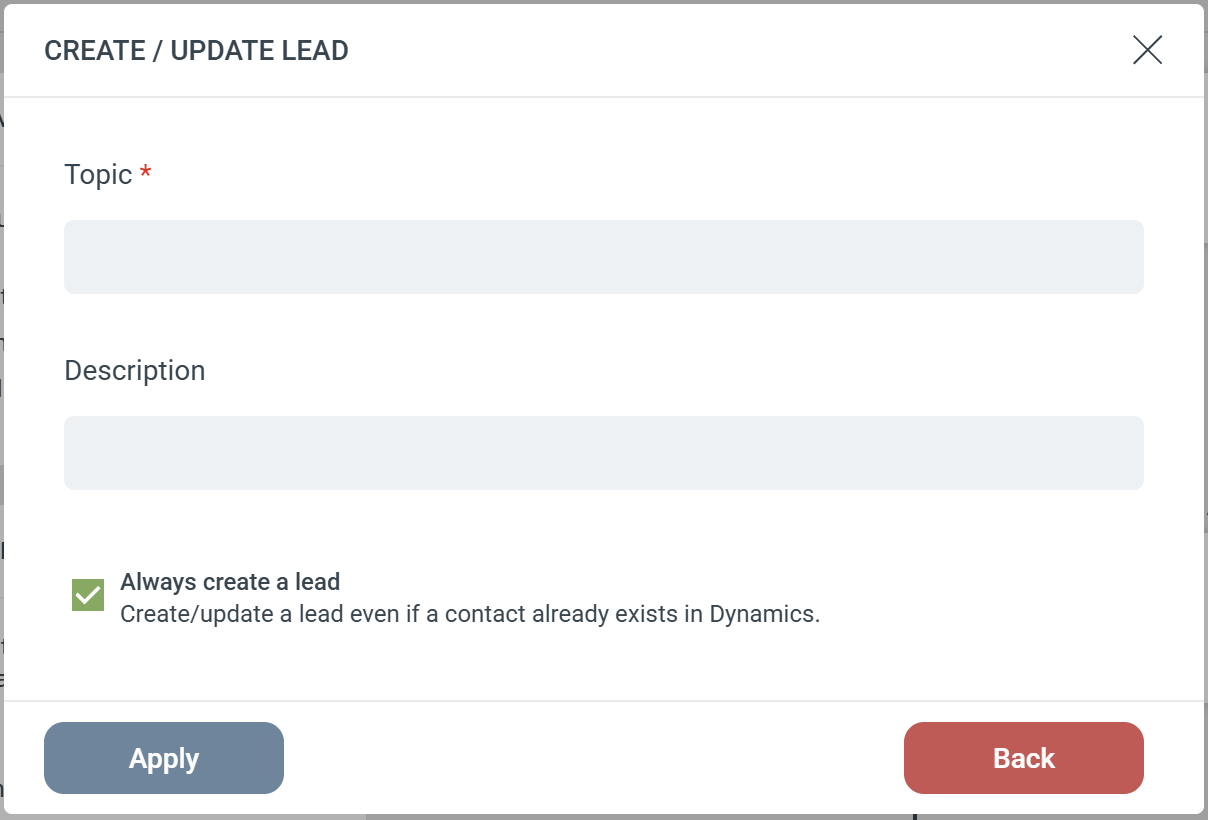
The Create/Update Lead Step pushes contacts from eMarketeer into your Microsoft Dynamics CRM as Leads. It includes built-in logic to update existing records and prevent duplicates.Step ConfigurationWhen adding this Step to your Journey, you will configure the following fields:
- Subject (Required): Sets the main title for the Lead record in Dynamics (e.g., “Webinar Attendee” or “Contact Us Form”).
- Description: Passes along additional notes, campaign details, or context to your sales team.
The “Always create a lead” Setting
This checkbox dictates exactly how eMarketeer searches your CRM and handles existing records.If Unchecked (Default) This option protects your CRM from creating Leads for people who have already progressed in your sales cycle.
- eMarketeer first checks Dynamics to see if the person already exists as a Contact.
- If they are a Contact: The Step stops completely. No Lead is created.
- If they are not a Contact: eMarketeer will update an existing Lead. If no Lead is found, it will create a brand new one.
If Checked This option forces the Step to process the Lead, regardless of whether the person is already a Contact in your CRM.
- eMarketeer bypasses the initial Contact check and attempts to update an existing Lead.
- If no existing Lead is found, it creates a new Lead.
- Smart Linking: If it creates a new Lead and the person already exists as a Contact in Dynamics, eMarketeer will automatically link the newly created Lead to their existing Contact and Account records.