Manual Prerequisites Before UI Integration
Before completing the integration via the eMarketeer UI, a few manual steps are required.
Step 1: Create an App User in the Customer’s Power Platform Environment
As a System Administrator, follow these steps:
- Navigate to a consent URL and add the app:
https://login.microsoftonline.com/<your tenant id>/adminconsent?client_id=a2a5e177-5102-4792-b0eb-52f4539f3cf7 - Navigate to the Power Platform Admin Center (https://admin.powerplatform.microsoft.com).
- Go to Manage > Environments and select the environment you’re configuring.
- Open Settings → Users + permissions → Application users.
- Click “+ New app user”.
- In the app selection screen, choose “eMarketeer Marketing Cloud”.
- If it’s not visible, search using the App ID:
a2a5e177-5102-4792-b0eb-52f4539f3cf7.
- If it’s not visible, search using the App ID:
- Assign the following security roles to the app user: System Administrator
- Click Save.
Step 2: Enable Auditing for Consent Sync
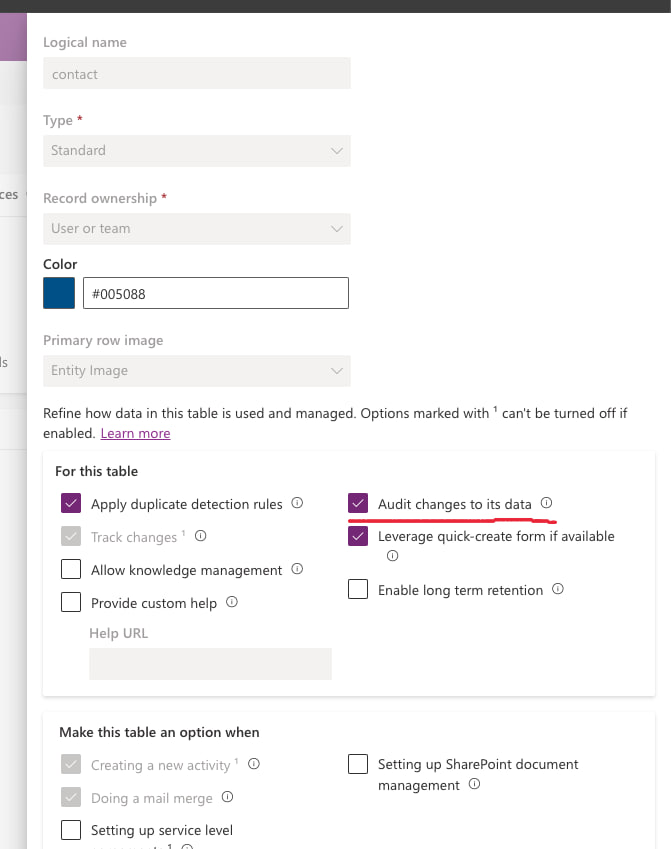
To ensure consent data syncs correctly, auditing must be enabled for the Contact table.
- Go to Power Apps (https://make.powerapps.com).
- Navigate to Tables → Contact.
- Click “Properties”, then “Advanced options”.
- Scroll down and check the option: “Audit changes to its data”.
- Click Save.
Step 3: Enable the integration in eMarketeer
This action requires the Administrator role.
In eMarketeer, go to: Account -> Plugins & Integration -> Microsoft Dynamics 365
Click “Connect to Dynamics 365”.
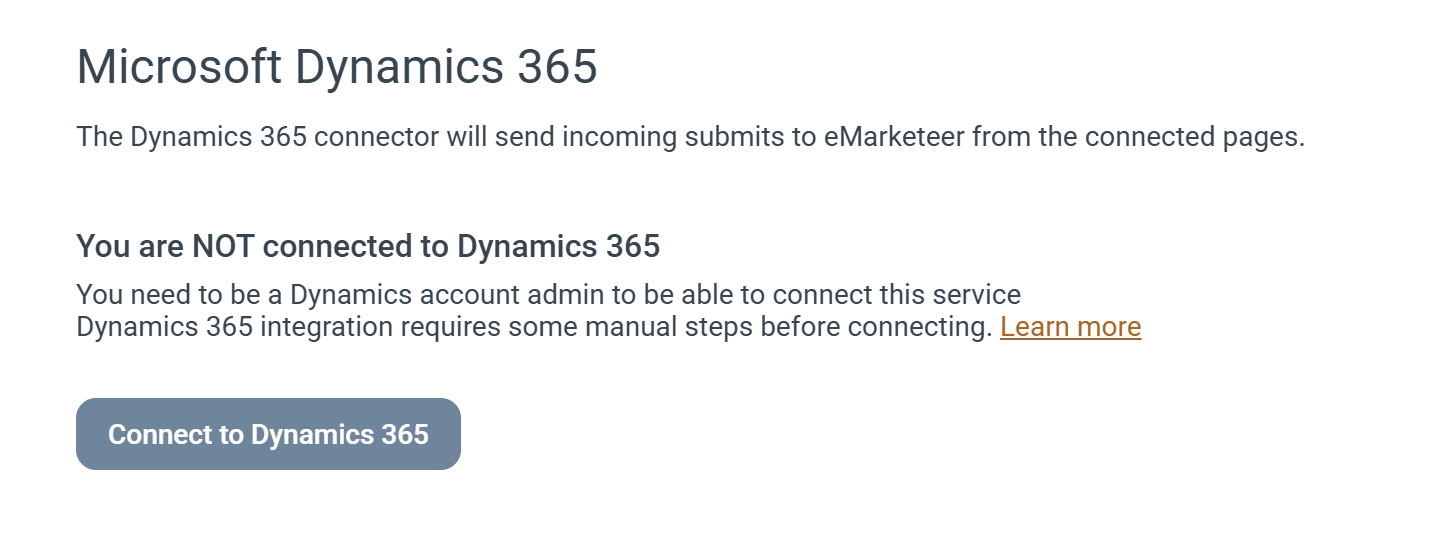
You will be prompted to log in to a Microsoft account.
Log in with a User that has access to the Dynamics Environment that you wish to integrate with.
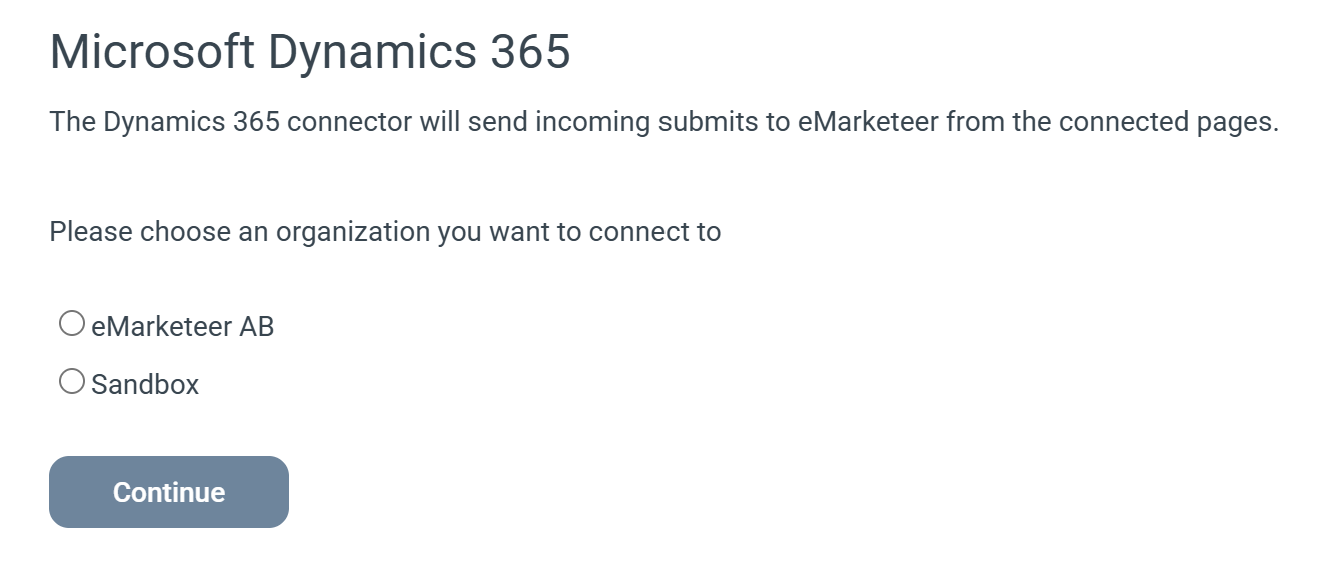
Choose the organization (environment) that you wish to integrate towards and click continue.